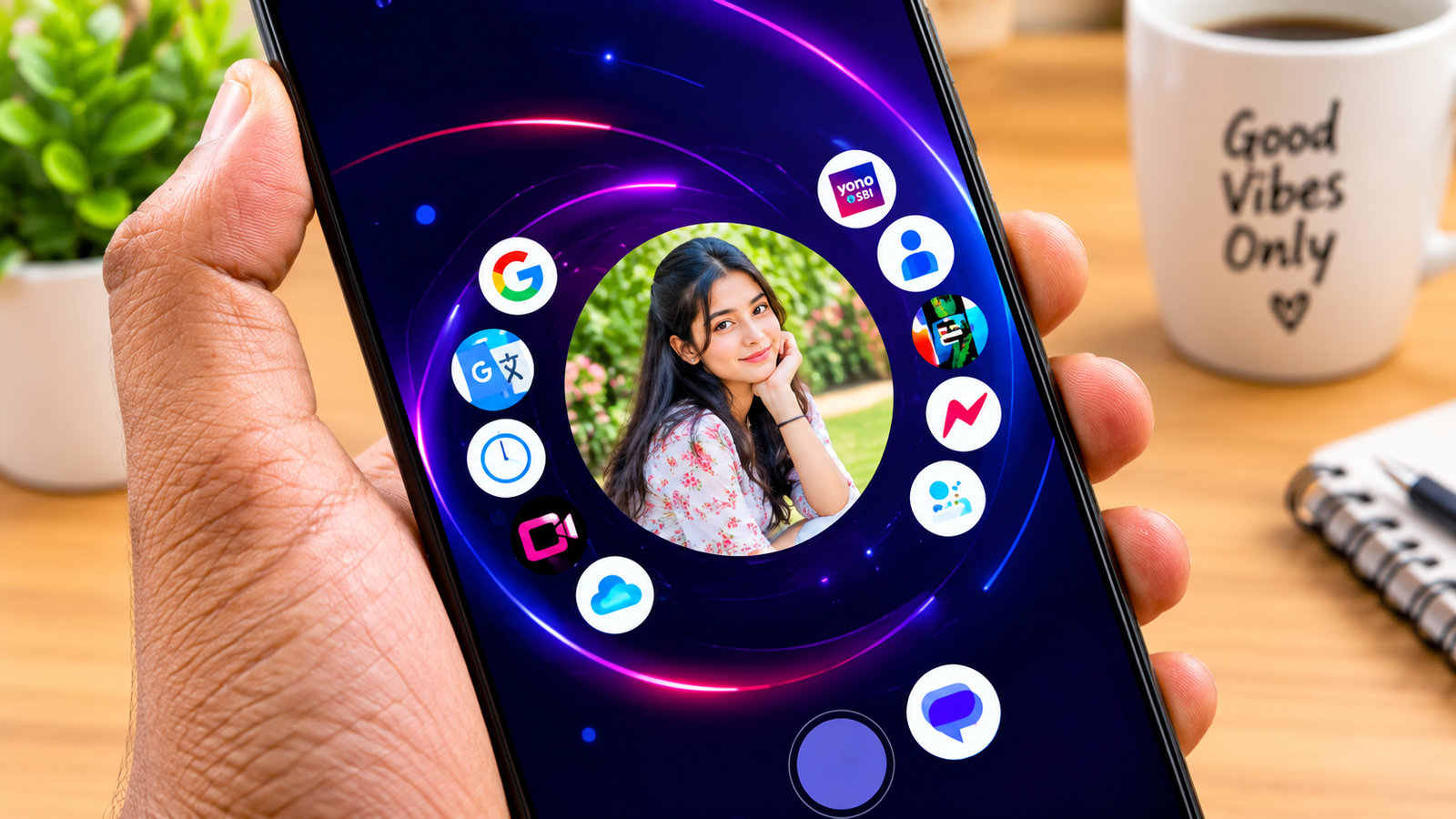
Android phones already give users many options to customize their home screen. But after using the same icons, widgets and app drawer for years, the experience can start feeling a little boring. This is where Nocebo Launcher brings something different.
Nocebo Launcher is an Android launcher designed for people who want a fresh and more interactive home screen. Instead of following the usual static grid layout, it uses a unique spinning interface that makes app navigation feel different from traditional launchers. The app focuses on customization, smooth navigation and a more personal Android experience.
What makes this launcher interesting is that it does not simply change your wallpaper or icon style. It changes the way you interact with your apps. The home screen works more like an interactive spinner, giving users a new way to arrange and access their favourite applications.
Also read: How To Use Licowa App
What Is Nocebo Launcher and How Does It Work
Nocebo Launcher is a customization app for Android devices. Its main purpose is to replace the standard home screen with a more flexible and visually interesting interface. The launcher is built around a rotating layout that allows users to move through their apps in a different way.
When you open the launcher, you do not get the usual rows of icons. Instead, the interface is designed around a spinning layout. This gives the home screen a more dynamic appearance and makes it feel less like a traditional Android launcher.
The idea behind Nocebo Launcher is simple. Your phone should not only be useful but should also feel personal. Some users prefer a clean and minimal home screen, while others like keeping many apps, folders and widgets within easy reach. Nocebo Launcher tries to support both styles through its customization options.
The app is especially interesting for Android users who enjoy trying new launchers and changing the overall look of their phone. It can also be useful for people who want a more organized app setup without depending only on the default home screen.
According to its Google Play listing, Nocebo Launcher has a 3.7 star rating from more than 120 reviews and has crossed 5K downloads. The listing also describes it as a highly customizable launcher with a unique spinning layout.
Nocebo Launcher Features You Should Know
The biggest attraction of Nocebo Launcher is its collection of customization features. These features are designed to make the home screen more flexible and different from the usual Android experience.
Spinning Home Screen Layout
The spinning layout is the main feature of Nocebo Launcher. It replaces the traditional static app grid with a rotating interface. This gives users a new way to move between apps and makes the home screen feel more interactive.
For people who enjoy experimenting with their phone’s interface, this can be a refreshing change. Instead of simply tapping icons arranged in rows, users can explore their apps through the spinner-style layout.
Customizable Center Sticker
Another interesting feature is the customizable center sticker. The centre of the spinner can be personalized with a sticker that matches your style.
This small detail gives the launcher a more personal feel. Users who enjoy aesthetic home screens can use the centre area to create a look that feels different from a normal Android launcher.
Dynamic App Drawer
Nocebo Launcher also includes a dynamic app drawer. This is where users can organize their applications according to their preferences.
The app drawer supports drag and drop sorting, which makes it easier to arrange apps. Instead of keeping everything in one fixed order, users can move apps around and create a setup that works better for their daily usage.
Custom Folders
The launcher also supports custom folders. This is useful for people who have many apps installed on their phones.
For example, you can organize social media apps, editing tools, shopping apps or entertainment apps into separate folders. This can make the app drawer easier to manage and help you find applications more quickly.
Widget Integration
One of the more interesting features of Nocebo Launcher is direct widget integration in the app drawer. Widgets are usually placed on the home screen, but this launcher allows users to include them in the app drawer as well.
This can be useful for people who want quick access to information without keeping too many widgets on the main screen. It also gives users more freedom when designing their home screen layout.
Deep Customization
Nocebo Launcher is designed for users who want control over their interface. The app supports different styles, from simple minimal layouts to more detailed setups with multiple apps and widgets.
This makes it suitable for users who like changing their phone’s appearance according to their mood or daily needs. You can create a clean setup for everyday use or a more feature-rich layout with quick access to your favourite apps.
Optional Gesture Support
The launcher also includes optional support for certain system actions through AccessibilityService. For example, users can enable a gesture-based action such as turning off the screen.
The developer states that this permission is optional and is not required for every configuration. The app also explains that AccessibilityService is used to invoke system actions and that no data is collected through it.
Optional Screen Lock Feature
Nocebo Launcher also supports an optional Device Administrator permission. This can be used to lock the screen when a selected gesture is detected.
This feature is disabled by default, so users can choose whether they want to use it. It is another example of how the launcher tries to give users more control over their phone’s interaction style.
Official Play Store Link
Conclusion
Nocebo Launcher is an interesting Android launcher for users who want something different from the usual home screen. Its spinning layout gives the phone a fresh look, while features like custom folders, drag and drop app sorting, widgets and centre sticker customization make the experience more personal.
The launcher is not just about changing the appearance of your phone. It also changes how you access and organize your apps. This makes it worth exploring for Android users who enjoy customization and want to try a new way of using their device.
If you are searching for a unique Android launcher with a different home screen design, Nocebo Launcher is certainly an app worth checking out. Its combination of interactive navigation and customization options makes it an interesting choice for people who want to move beyond the standard Android interface.