Droid Lab App For Android Review
Android phones already come with many useful features, but most of them are hidden behind menus or require several taps. This is where Droid Lab can make things more interesting. It is an Android utility app designed for people who want faster ways to control their phone and perform common actions.
Droid Lab focuses mainly on gestures, shortcuts, and quick actions. Instead of opening Settings every time, you can assign different actions to gestures and use them whenever you need them.
For example, you can use a back-tap gesture, hand movement, swipe, or other supported gestures to trigger an action. Depending on your device and the feature you configure, these actions can include taking a screenshot, turning on the flashlight, controlling volume, opening an app, or accessing other phone functions.
What makes Droid Lab interesting is the number of small features available inside one app. You may not use every option every day, but once you find a few useful gestures, they can become a natural part of using your phone.
The app is especially useful for Android users who enjoy customization and like discovering hidden ways to interact with their devices.
Droid Lab App All Features
Droid Lab is not limited to one type of gesture. It brings several tools together, giving users different ways to interact with their Android phone.
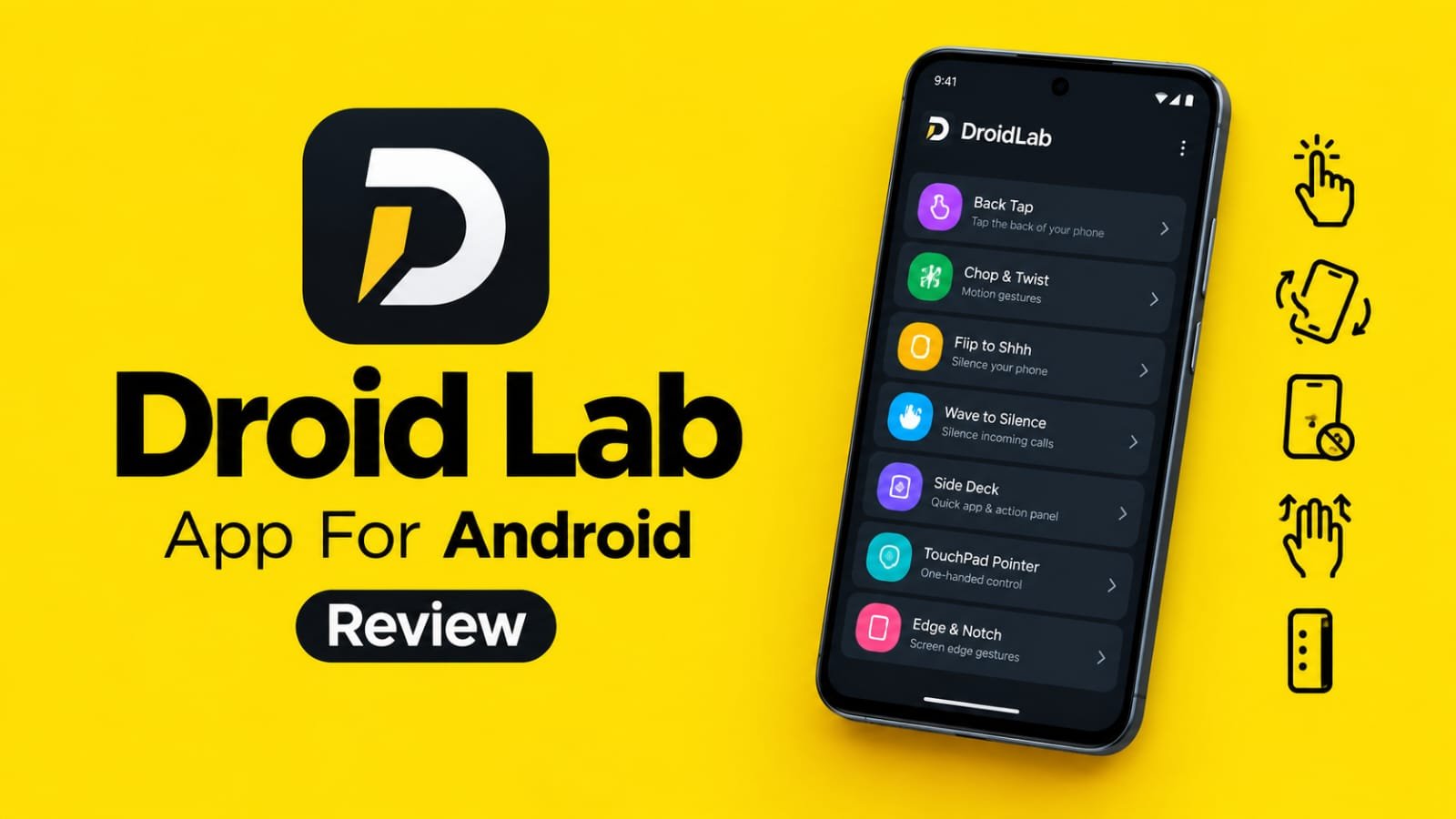
One of its useful options is Back Tap. You can configure actions that happen when you tap the back of your phone. This can be handy when you want to perform an action without searching through the phone interface.
The app also supports different motion-based gestures. Features such as Chop and Twist can be used for supported actions. These gestures can feel quite natural once you get used to them.
Another interesting feature is Flip to Shhh. The idea is simple. You can place your phone face down to activate a silent or Do Not Disturb type of action, depending on the configuration.
Droid Lab also includes a Wave to Silence feature. It can be useful when you receive a call and do not want to immediately pick up the phone. A supported hand gesture can be used to silence the incoming call.
For users who like advanced touch controls, the app provides multi-finger swipe gestures. You can configure different actions using two, three, four, or five-finger gestures where supported.
There is also a Side Deck feature. Think of it as a small shortcut panel that can give you quick access to selected actions or apps.
The TouchPad Pointer is another interesting addition. It can make one-handed phone use easier by providing a pointer-style control method.
Droid Lab also offers features related to the edge and notch areas of the display. These can be used for additional shortcuts and actions on compatible devices.
Apart from gestures, the app can also provide quick access to actions such as taking screenshots, locking the screen, opening Quick Settings, controlling volume, and managing certain connectivity functions.
For advanced Android users, Tasker integration makes the app even more interesting. Tasker users can combine Droid Lab triggers with their existing automation setups.
The app also includes smaller productivity tools, such as floating notes, search-related tools, and text-selection features. These may sound simple, but they can be useful during everyday phone usage.
One thing I like about this type of app is that you do not need to completely change the way you use Android. You can simply pick two or three gestures that actually help you and ignore the rest.
How Use Droid Lab App on Android
Getting started with Droid Lab is fairly simple, although some features may require additional permissions or settings depending on your Android phone.
First, install Droid Lab from the Google Play Store and open the app. You will see different tools and gesture options available inside the application.
Start with a simple gesture instead of activating everything at once. For example, you can select Back Tap and choose an action that you use frequently.
After selecting the gesture, choose what you want it to do. You might assign an action such as taking a screenshot, opening an application, controlling the flashlight, or performing another supported phone function.
Some features may ask for permissions. Read the permission request and enable it only if you are comfortable with it and if the feature requires it to work.
Now test the gesture a few times. If it does not respond correctly, check the sensitivity or related settings inside the app. Different Android phones have different hardware and software behaviour, so a gesture may work slightly differently from one device to another.
You can then try other features such as Chop, Twist, Wave to Silence, or Flip to Shhh.
If you want faster access to several shortcuts, try the Side Deck. Add the actions or apps that you frequently use. This can save time because you do not have to search through the home screen every time.
Multi-finger gestures are worth trying as well. They can be useful if you prefer touch-based shortcuts and your device handles them properly.
If you already use Tasker, explore the Tasker-related options after becoming familiar with the basic features. Automation can make Droid Lab much more powerful, but beginners should start with simple gestures first.
Also remember that some features can behave differently depending on the Android version, phone manufacturer, navigation mode, or available sensors. If a particular gesture does not work perfectly, try another supported method.
The best way to use Droid Lab is to keep only the shortcuts that genuinely make your daily phone usage easier. Too many gestures can become confusing, while a few well-chosen ones can feel surprisingly useful.
Conclusion
Droid Lab is an interesting utility for Android users who enjoy shortcuts, gestures, and phone customization. Instead of adding one big feature, it brings many small tools together and lets you decide how you want to use them. The Back Tap, motion gestures, multi-finger controls, Side Deck, TouchPad Pointer, and other shortcuts give you plenty of options to experiment with
It is not an app that everyone necessarily needs. If you are happy with the standard Android controls, you may not use most of its features. But if you enjoy finding hidden Android tricks and making everyday actions faster, Droid Lab is definitely worth exploring. The biggest advantage is flexibility. You can start with one simple gesture and gradually build your own shortcut setup. Once configured properly, some of these actions can save a surprising amount of time during everyday use.