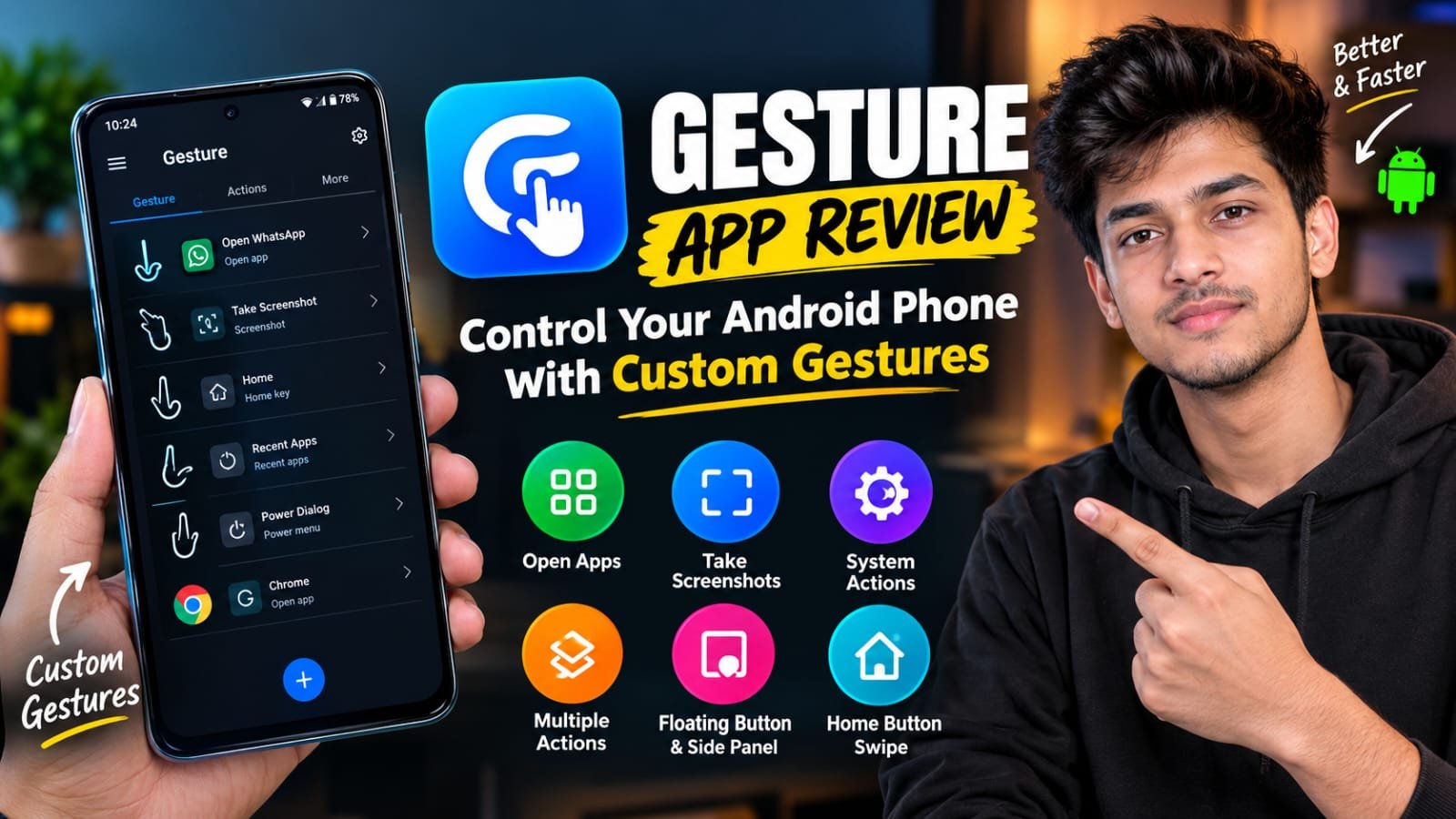
Gesture App Review: Control Your Android Phone With Custom Gestures
Using a smartphone becomes much easier when you can perform everyday tasks with fewer steps. Whether you want to open an app, take a screenshot or access system settings, having quick shortcuts can save time. This is where the Gesture app comes in handy.
Gesture is an Android utility app developed by DogPoo. It allows users to perform different actions using custom gestures. Instead of navigating through multiple menus or pressing physical buttons, you can simply use a gesture to complete a task.
The app offers features such as app launching, screenshot capture, system controls, floating shortcuts and multiple actions. It is designed for users who want more control over how they interact with their Android phones.
What Is Gesture App?
Gesture is a customization app that helps you control your Android device using personalized gestures. You can create your own gestures and assign different actions according to your needs.
For example, if you regularly open WhatsApp, you can create a custom gesture to launch it quickly. Similarly, you can set gestures for taking screenshots, making calls or performing other supported actions.
The app also provides options such as a floating button and a side panel, which make your shortcuts easier to access while using other applications.
Gesture is available on Google Play with over 5 million downloads. It is free to install, but it contains ads and offers in-app purchases.
How Does Gesture App Work?
Using Gesture is quite simple, even if you have never used a gesture-based application before. First, install the app from Google Play and open it on your smartphone. You may need to grant certain permissions, including Accessibility access, to use its main features.
After completing the initial setup, you can create your own gestures and assign actions to them. Once configured, you can access these gestures through the available floating button or side panel.
For example, you can assign a gesture to open your favourite application or take a screenshot. Whenever you perform that gesture, the app will try to execute the selected action.
You can customize the shortcuts according to your daily usage, making the overall experience more convenient.
Main Features of Gesture App
- Custom Gesture Shortcuts
One of the main features of Gesture is its custom gesture system. You can create gestures according to your preferences and connect them with different actions. This is useful for people who want to personalize their phone instead of using only the default navigation options.
- Open Apps Quickly
If you use certain applications several times a day, Gesture can make accessing them easier. You can assign a custom gesture to an app and open it without searching through your home screen or app drawer. This feature is especially useful for users who have many apps installed.
- Take Screenshots
Taking screenshots is another useful feature of the app. You can configure a gesture to capture your screen instead of pressing the power and volume buttons together. It can be convenient for content creators, students and anyone who regularly captures information on their phone.
- Perform Multiple Actions
Gesture also supports performing multiple actions through a single gesture. This can be useful when you want to complete a series of supported tasks without accessing each option separately. It gives users more flexibility to create shortcuts that match their personal needs.
- Floating Button and Side Panel
The app provides different ways to access your gestures, including a floating button and a side panel. These options allow you to reach your shortcuts while using other applications. You can choose the access method that feels more comfortable on your device.
- Home Button Swipe
Gesture also includes a Home button swipe feature, which can be enabled or disabled through the Labs section in Settings. This gives users another way to navigate their smartphones without depending entirely on traditional navigation buttons.
Is Gesture App Safe to Use?
Before installing any application that requires special permissions, it is important to understand how those permissions work. Gesture uses Android’s AccessibilityService API to perform certain actions, such as configured gestures, screenshots and system controls.
According to the developer’s Google Play disclosure, the app does not collect or transmit sensitive information through its Accessibility Service. Google Play currently lists no data collected and no data shared with third parties in the app’s Data safety section.
However, Accessibility permission provides access to powerful features on Android. You should always review the permissions requested by an app and download it from a trusted source. Only enable the permissions required for the features you actually want to use.
What Are the Advantages of Gesture App?
Gesture offers several useful features for Android users who prefer quick shortcuts. Its biggest advantage is the ability to create personalized gestures for everyday tasks. You can open applications, capture screenshots and access supported system functions without following the usual steps.
The floating button and side panel also make shortcuts easier to reach. Users who enjoy customizing their smartphones may appreciate the flexibility of creating their own gesture-based controls.
Another advantage is that the app supports more than simple app launching. Its multiple-action feature can be helpful for users who want to automate supported tasks.
Disadvantages of Gesture App
Although Gesture offers useful features, it may not work perfectly on every Android device. Some users have reported lag, missing controls and issues with previously saved gestures after updates. There have also been reports of side panel and keyboard-related problems.
The app’s performance can depend on your phone’s Android version, manufacturer settings and background activity restrictions. Some features also require Accessibility permission, which users may not feel comfortable enabling.
Additionally, the free version contains advertisements and in-app purchases, which may affect the experience for some users.
Is Gesture App Worth Using?
If you enjoy customizing your Android phone and want faster access to everyday actions, Gesture is worth trying. It provides several useful shortcuts in one place and lets you decide how you want to control your device.
However, if your smartphone already offers all the shortcuts you need, you may not find it particularly necessary. You should also consider its permissions and check whether the features work properly on your device.
Overall, Gesture is more suitable for users who regularly perform repeated tasks and want a personalized navigation experience.
Official PlayStore Link
Conclusion
Gesture is a handy Android utility app that makes everyday smartphone tasks easier through custom gestures. Its features include opening applications, taking screenshots, accessing system controls and performing multiple actions with a single gesture. The floating button and side panel provide additional convenience for accessing shortcuts.
Although some users have reported compatibility and performance issues, the app offers useful customization options for people who want more control over their phones. If you are looking for a way to simplify daily smartphone usage, Gesture is worth checking out.
FAQ
Is Gesture app free?
Yes, Gesture is free to download from Google Play. However, it contains advertisements and offers in-app purchases.
What is the main purpose of Gesture app?
The main purpose of Gesture is to help users control their Android phones through custom gestures and quick shortcuts.
Does Gesture app require Accessibility permission?
Yes, the app uses Android’s Accessibility Service for certain features, including configured gestures, screenshots and system actions.
Can Gesture open apps using gestures?
Yes, you can create custom gestures and assign them to launch supported applications.
Can I take screenshots using Gesture?
Yes, the app supports screenshot actions that can be assigned to custom gestures.
Is Gesture app safe for Android?
The developer states that the app does not collect sensitive information through its Accessibility Service, and Google Play currently lists no data collected or shared. However, you should review its permissions before enabling them.
Does Gesture work on all Android phones?
The app is designed for Android devices, but some features may behave differently depending on the Android version, manufacturer and device settings.