Privacy Display Screen Filter App Review
Smartphones contain a lot of personal information. From private messages and emails to photos, passwords, and banking details, many things on a phone are not meant to be seen by other people. This can become a problem when using a smartphone in a crowded public place.
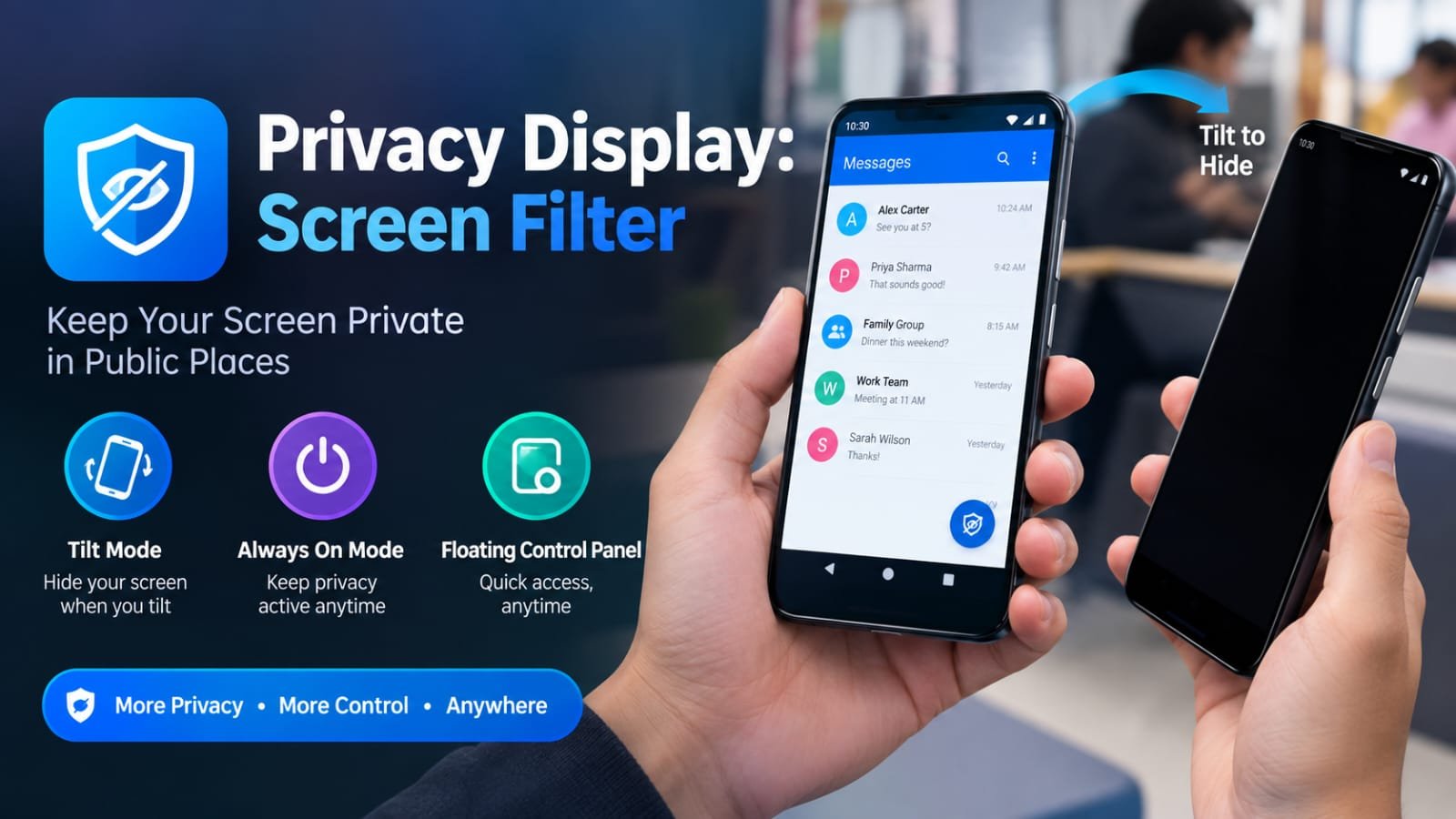
Privacy Display: Screen Filter is an Android app designed to provide an additional layer of screen privacy. The app can cover the phone display with a black overlay when the device is tilted. This makes it harder for people nearby to see the content on the screen.
The app is developed by Medusa Lab and is available on Google Play. Its current listing shows more than 1 million downloads. The app also includes advertisements and in-app purchases.
What Is Privacy Display: Screen Filter?
Privacy Display: Screen Filter is a screen privacy application for Android devices. It is designed for users who want to reduce the visibility of their phone screen when other people are nearby.
The concept behind the app is simple. When the phone is tilted in a certain direction, the application can place a black layer over the display. This hides the content that would normally be visible.
For example, imagine that you are sitting on a bus and reading a private WhatsApp conversation. A person sitting next to you may be able to see the screen. With the privacy feature enabled, tilting the phone can activate the black overlay.
Privacy Display: Screen Filter does not work like a physical privacy screen protector. It does not change the actual viewing angle of the phone’s display. Instead, it uses a software overlay to hide the screen content.
How Does Privacy Display: Screen Filter Work?
The main functionality of Privacy Display: Screen Filter is based on the orientation of the smartphone.
After activating the required feature, the app can detect when the phone is tilted. When the device reaches the required angle, a black overlay appears on the display.
This can provide a quick way to hide the screen without manually closing the application you are currently using.
The feature can work while you are using other applications. This means you can continue browsing the internet, reading messages, or using social media while the privacy layer is available.
The exact behavior may vary between Android devices because smartphones can have different sensors, software versions, and system restrictions.
Tilt Mode
Tilt Mode is one of the main features of Privacy Display: Screen Filter.
The feature uses the phone’s orientation to control the privacy overlay. Instead of manually opening the app every time, you can change the position of the phone to activate the screen-covering effect.
This can be useful in situations where you want to hide your screen quickly.
For example, you may be checking a private message while travelling on a train. If another passenger moves closer to you, you can tilt the phone and activate the privacy layer.
The feature is designed to make screen privacy more convenient during everyday smartphone use.
Always On Mode
Privacy Display: Screen Filter also includes an Always On Mode.
As the name suggests, this mode is designed for situations where you want the privacy feature to remain active rather than relying only on the tilt action.
This can be useful when you are using your phone for an extended period in a crowded environment.
For example, someone working in a shared office may prefer to keep the privacy feature active while viewing personal information. Similarly, a person travelling on public transport may want continuous protection from unwanted screen viewing.
The mode provides another way to use the application’s privacy functionality according to the situation.
Floating Control Panel
Another feature available in Privacy Display: Screen Filter is the Floating Control Panel.
The floating control gives users quick access to the privacy function while they are using another application. Instead of repeatedly opening Privacy Display: Screen Filter, users can use the floating control to manage the feature.
This can make the app more convenient for everyday use.
A floating control can be particularly useful when you frequently switch between applications. You can continue using your phone while keeping the privacy controls easily accessible.
Privacy Display: Screen Filter for Public Places
Public places are one of the main situations where a screen privacy tool can be useful.
People often use smartphones on buses, trains, flights, in restaurants, cafes, offices, classrooms, and waiting areas. In these environments, another person may accidentally or intentionally see the phone display.
This is sometimes called shoulder surfing.
Privacy Display: Screen Filter provides a software-based way to reduce this type of unwanted screen visibility. It can be useful when viewing private conversations, emails, personal photos, account information, or other content.
However, users should understand that the app does not provide complete protection against someone viewing the screen. The privacy effect depends on the phone’s position and the software overlay.
Is Privacy Display: Screen Filter a Physical Privacy Filter?
No. Despite its name, Privacy Display: Screen Filter is not a physical screen filter.
A physical privacy protector changes how the display can be viewed from different angles. Privacy Display: Screen Filter works differently.
The application uses a software-generated black overlay to cover the screen. Its Tilt Mode uses the phone’s orientation to decide when the overlay should appear.
This distinction is important because users should not expect the application to physically change the viewing angle of their smartphone display.
Privacy and Data Safety
Before installing any privacy-related application, it is a good idea to check its data safety information.
According to the Google Play listing, the developer states that the app may share device or other IDs with third parties. The listing also says that data is encrypted in transit and provides additional information about the app’s data practices.
Google Play’s data safety information is provided by the developer, so users should review the latest information available on the store before installing or using the application.
It is also a good practice to review the permissions requested by an app and understand why those permissions may be required.
Privacy Display: Screen Filter Download and Availability
Privacy Display: Screen Filter is available through the Google Play Store for Android users.
The current Play Store listing shows more than 1 million downloads. The app is listed in the Tools category and includes advertisements and in-app purchases.
The application was also recently updated, with the Play Store listing showing an update date of September 30, 2026.
Users should always download the application from an official source such as Google Play rather than using unknown APK websites. This can reduce the risk of installing modified or potentially unsafe versions of an application.
Who Can Use Privacy Display: Screen Filter?
The app can be useful for Android users who frequently use their smartphones around other people. Students can use the concept when working in shared spaces. Office workers may find it useful when viewing private information around colleagues. Travellers can also use the feature while sitting in buses, trains, or other public areas. The application can also be useful for anyone who simply wants more control over who can see their phone screen. Its usefulness will depend on the user’s smartphone, Android version, screen orientation, and personal requirements.
Official Play Store Link
Conclusion
Privacy Display: Screen Filter is an Android privacy application that uses a software overlay to help hide screen content from nearby viewers. Its main features include Tilt Mode, Always On Mode, and a Floating Control Panel. Tilt Mode can activate the privacy overlay when the phone is tilted, while Always On Mode provides a more continuous privacy option.
The app does not replace a physical privacy screen protector because it does not change the viewing characteristics of the phone’s display. Instead, it uses software to cover the screen when the privacy feature is triggered. For Android users who regularly use their phones in public places, Privacy Display: Screen Filter offers a simple way to add an extra layer of screen privacy during everyday smartphone use.