Pika Super Wallpaper App Review
If you are bored with the same old wallpaper on your Android phone, Pika Super Wallpaper can be an interesting app to try. It is not just a normal wallpaper app. It brings static wallpapers, live wallpapers, 3D scenes and charging animations together in one place.
The app is designed for people who want their phone screen to look more attractive and different. You can find wallpapers based on different themes and styles. Some wallpapers also include animations and interactive effects.
Pika Super Wallpaper is available on Google Play. The app has crossed 1 million downloads and has thousands of user reviews. It also contains ads and in-app purchases.
What is Pika Super Wallpaper App?
Pika Super Wallpaper is a wallpaper customization app for Android phones. It focuses mainly on dynamic and interactive wallpapers.
Unlike a simple static wallpaper, some wallpapers in this app can create a more lively experience. The app offers 3D scenes with themes such as stars, snow mountains, cars, robots and pets. The wallpaper can also show dynamic content like date and time.
One thing that makes the app different is its interactive wallpaper experience. Some wallpapers are designed to react to your actions. The visuals can appear from different angles and positions on the screen.
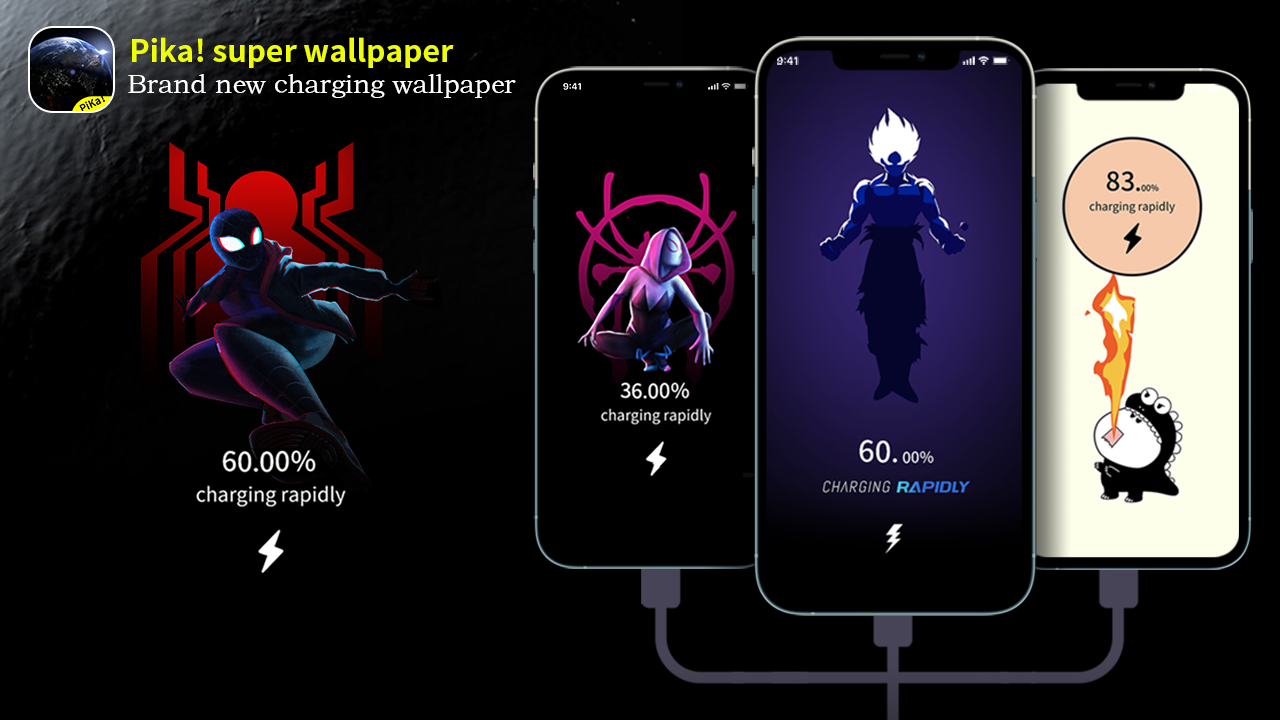
The app also includes charging animation features. When you connect your phone to a charger, you can use a charging animation to make the charging screen more attractive.
There are both dynamic and static wallpaper categories. So you do not have to use an animated wallpaper all the time. If you prefer a clean and simple look, you can choose a normal wallpaper instead.
The app also provides a preview option before applying a wallpaper. This is useful because you can check how the wallpaper looks before making it your phone background.
Pika Super Wallpaper App All Features
High Quality Wallpapers
The first thing you will notice in Pika Super Wallpaper is its collection of wallpapers.
The app offers different types of visual themes. You can find wallpapers based on nature, space, vehicles, characters, animals and other creative designs. The high-quality visuals can give your home screen a fresh look. If you regularly change your wallpaper, you can explore different options inside the app.
Live Wallpapers
Pika Super Wallpaper also offers live wallpapers.
These wallpapers are different from regular images because they can include movement and animation. This can make the home screen feel more dynamic. The app provides both static and dynamic categories. This gives users the freedom to choose between a normal wallpaper and a more animated experience.
3D Interactive Wallpapers
The 3D wallpaper feature is one of the main highlights of the app. Some wallpapers are created to give a sense of depth. They can also interact with the screen in different ways. For example, a theme can show a car, robot, pet or space scene. The visual presentation can change as you interact with the wallpaper.
This makes the wallpaper feel more like an experience rather than just a background image.
Charging Animation
Another useful feature is charging animation. Normally, connecting a charger is a simple thing. With Pika Super Wallpaper, you can add an animation to make that moment more interesting. The app provides charging animation settings. When the phone starts charging, the selected animation can appear on the screen. If you like customizing every small part of your phone, this feature can be fun.
Static Wallpapers
Not everyone likes live wallpapers.
Some users prefer a simple image because it looks clean and does not add unnecessary movement. Pika Super Wallpaper also has static wallpaper options. You can choose a normal wallpaper when you want a simple home screen. This makes the app useful for both simple and creative users.
Different Wallpaper Categories
The app comes with different wallpaper categories and themes.
You can explore different styles instead of searching for every wallpaper separately. This makes it easier to find something that matches your taste. Whether you like cars, nature, space, robots or other creative themes, there are different options available.
Easy Preview and Apply
Another good thing is the simple setup process.
You can preview a wallpaper before applying it. Once you find something you like, you can use the setting option to apply it.
The Google Play listing also highlights one-key preview and one-key setting for a quick experience. This is helpful for users who do not want to spend a lot of time inside complicated customization settings.
Multiple Setting Modes
Pika Super Wallpaper also provides multiple setting modes.
This gives you more control over how the wallpaper works on your device. You can select a mode according to your preference and phone experience.
The exact options can vary depending on the wallpaper and device.
How to Use Pika Super Wallpaper App on Android
Using Pika Super Wallpaper is quite simple.
First, install Pika Super Wallpaper from Google Play and open the app. After opening the app, you will see different wallpaper options and categories. Browse through them and find a wallpaper that you like.
If you want a normal background, look for a static wallpaper. If you want movement and animation, choose a live or dynamic wallpaper. You can also explore the 3D interactive wallpapers. These are useful if you want something more unique on your phone. Before applying a wallpaper, use the preview option. Check how it looks on your screen.
If everything looks good, tap the option to apply or set the wallpaper.
You can then choose the available wallpaper setting according to your phone. Depending on your Android device, you may get options for the home screen, lock screen or both.
For charging animations, open the charging animation section. Select an animation that you like and configure it using the available settings. After that, connect your phone to the charger and check the charging animation. The exact steps can be slightly different on different Android phones because manufacturers use their own system settings.
Conclusion
Pika Super Wallpaper is a good option for Android users who want more than a simple wallpaper.
The app combines high-quality wallpapers, live wallpapers, 3D interactive scenes and charging animations in one place. It also offers different categories, preview options and multiple settings.
The biggest attraction is its dynamic and interactive wallpaper experience. It can make a normal Android home screen feel more interesting. At the same time, users who prefer simple wallpapers can also choose static options. The app currently has more than 1 million downloads on Google Play and has received thousands of reviews. It is available with ads and in-app purchases. Overall, if you enjoy changing your phone’s appearance and want to try animated or interactive wallpapers, Pika Super Wallpaper is worth checking out.